
Built for South African private practice
The practice management system that speaks Xero.
Run your rooms and reconcile your books in one flow. Patients, appointments, invoicing, stock and reports in one web app, with every invoice and payment posted into Xero for you.
- Native Xero sync
- ICD-10 from the SA master table
- NAPPI-coded products
- Medical aid schemes and dependant codes
- VAT at 15%, in Rand
Two systems. Everything captured twice.
Most practices run their rooms on ageing practice software and their books on Pastel or a spreadsheet. The two do not talk. Every invoice is handled twice, VAT is rebuilt by hand, and month-end means matching billing to the bank line by line.
For a cash or non-contracted practice there is no medical aid remittance to lean on. It is just admin, and it lands on the person at the front desk.
Owlchemy ClinicWize is one system for the practice side, with the ledger side handled by Xero. Your team bills once. Your accountant gets a clean ledger.
The product
The screens your practice runs on
Captured from the running system on a fictional practice. What you see is what reception, billing and the practitioner see.
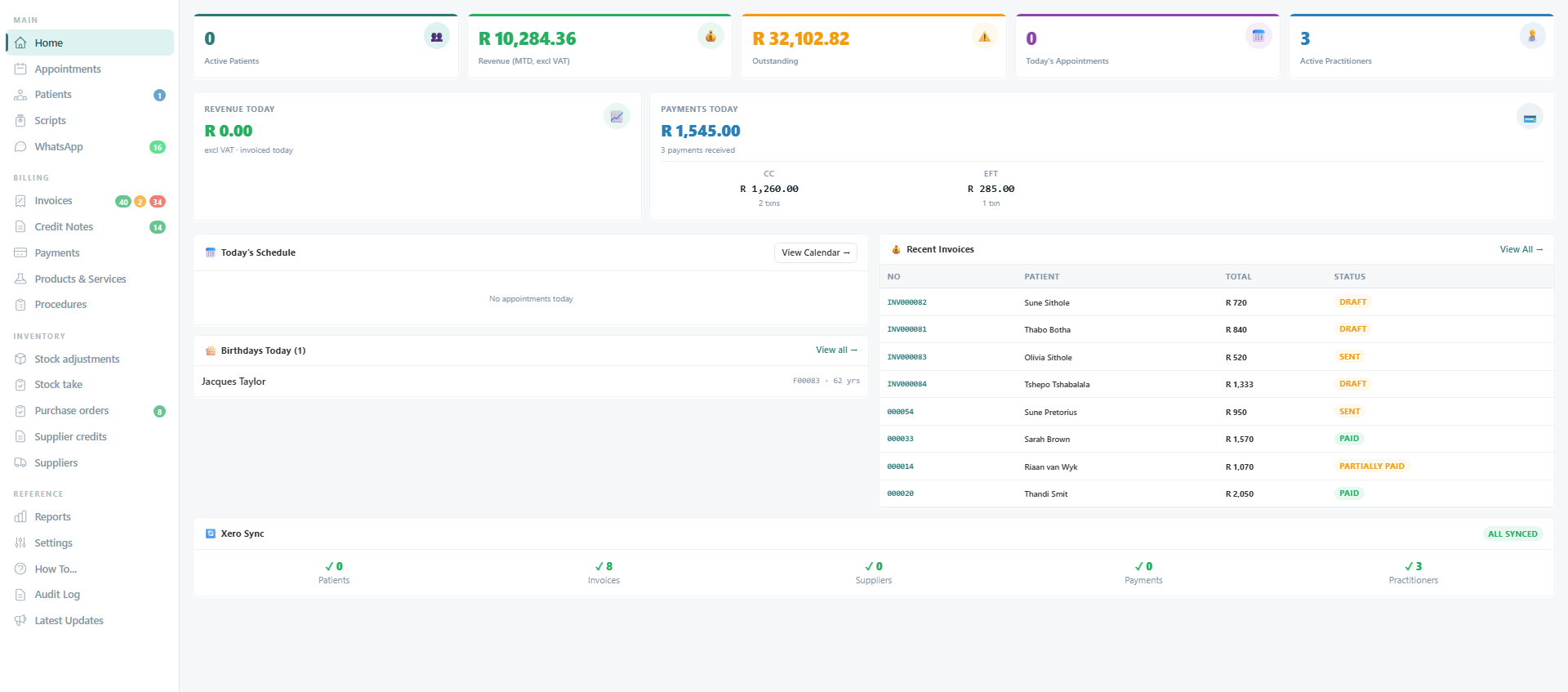
The whole practice on one screen
- Revenue for the month and for today, outstanding balance, and payments received split by card and EFT.
- Today’s schedule and the latest invoices with their state, one click from either.
- The Xero sync panel shows what has posted and what has not, so nobody has to go and check.
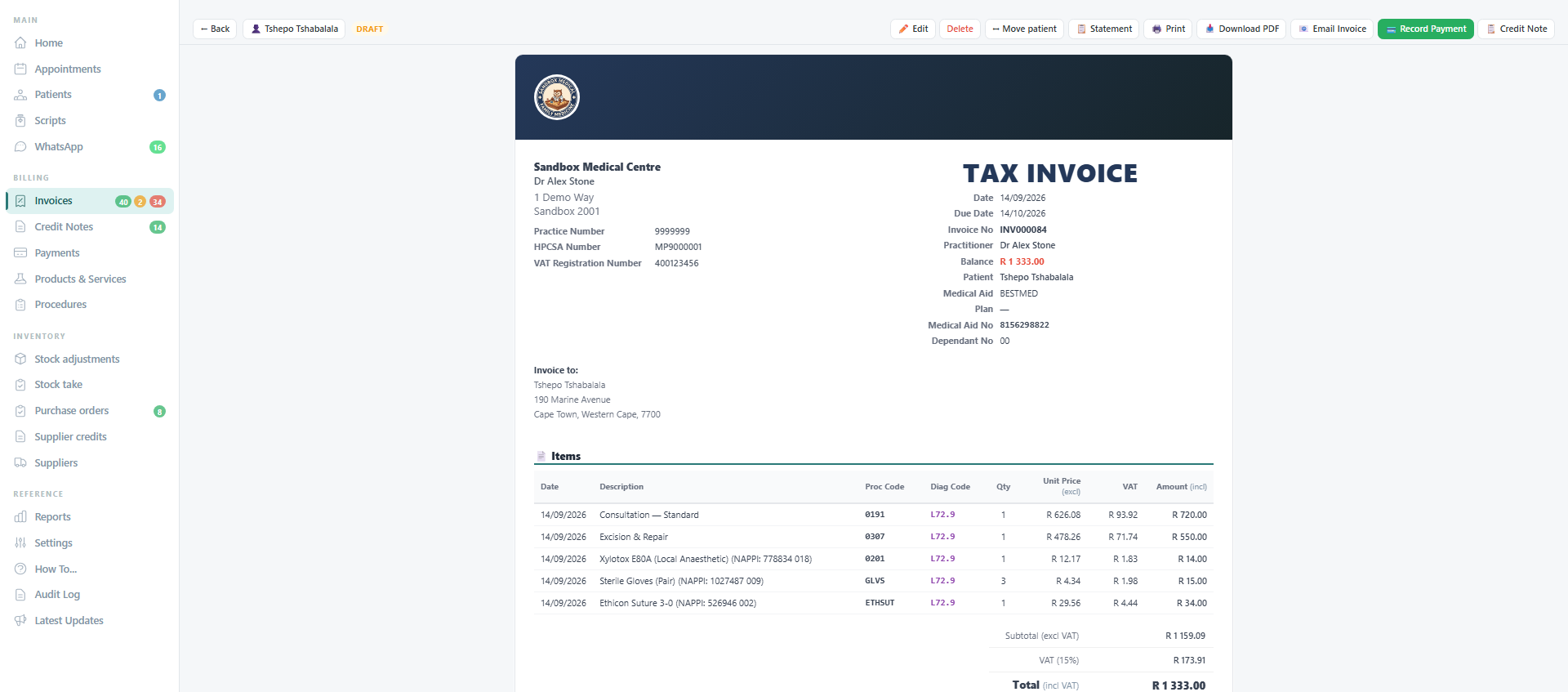
Invoices the way South African rooms bill
- Every line carries a procedure code and an ICD-10 diagnosis code, searchable by code or by description, with your favourites first.
- Products print with their NAPPI code. VAT is worked per line at 15% and totalled below.
- The document is yours: your banner, your practice, HPCSA and VAT numbers, your banking details. Toggle the same invoice to an account statement.
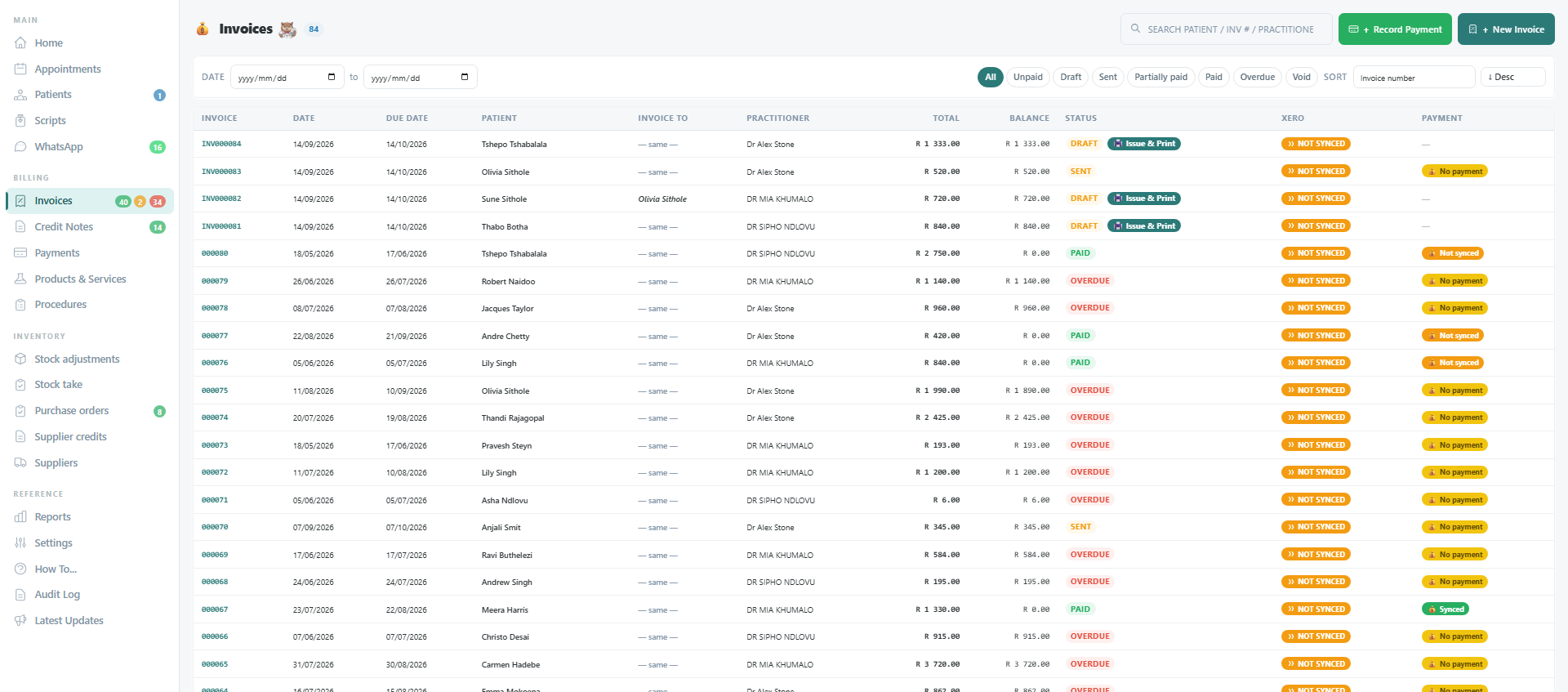
Every invoice, its balance, and whether Xero has it
- Filter by unpaid, draft, sent, partially paid, paid, overdue or void. Overdue is set for you overnight.
- A Xero pill and a payment pill on every row, so the register is also the reconciliation view.
- Record one payment across many invoices, hold a prepayment, transfer credit, raise a credit note.
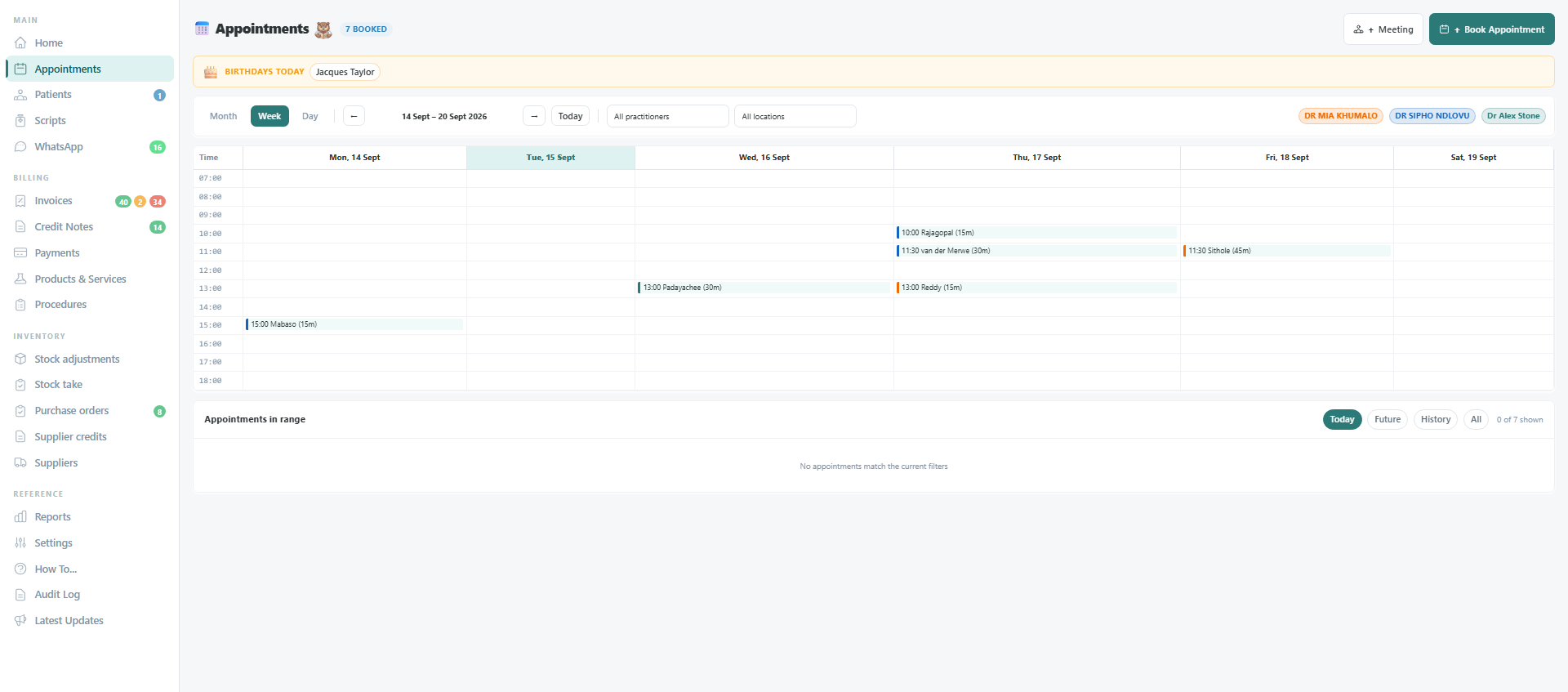
The diary, per practitioner, per location
- Month, week and day views, colour-coded by practitioner, filtered by practitioner or location.
- Book, confirm, check in, complete. Reminders go out the day before.
- Raise the invoice from the appointment with the patient, practitioner and diagnosis already on it.
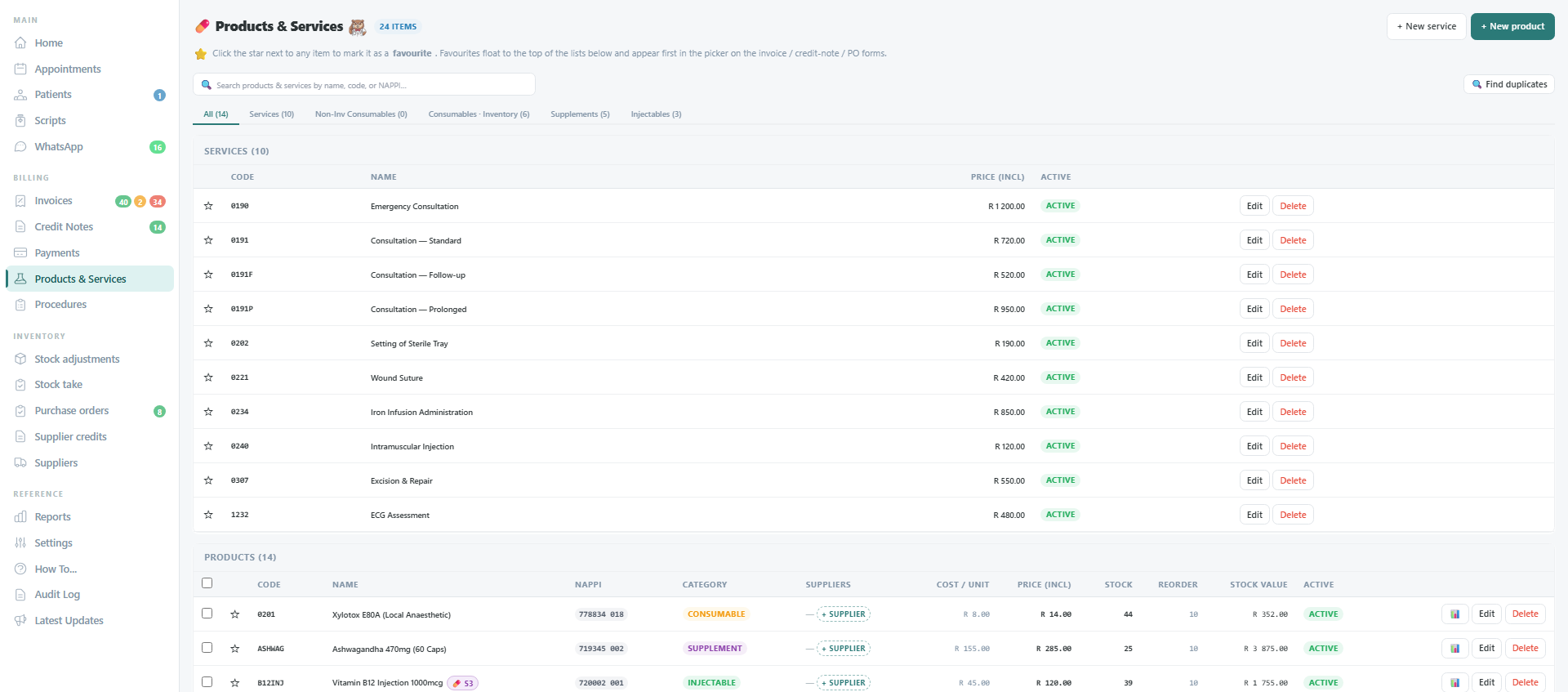
Stock that moves when you invoice
- Services carry the procedure code; products carry the NAPPI code, category, cost, price, batch and expiry.
- Stock on hand comes down when a product is invoiced and goes up when a purchase order is received.
- Reorder levels, stock takes, adjustments with reasons, and a stock valuation report when the accountant asks.
What you get
12 modules in every plan
The base system is the whole practice. Add-ons are the clinical extras a practice switches on when it needs them.
Home
Active patients, month-to-date revenue, outstanding balances, today’s schedule and the Xero sync state on one screen.
Patients
Full records with medical aid, dependant codes, family linking, referring doctor, POPIA consent and patient groups.
Appointments
Colour-coded calendar per practitioner, check-in flow, reminders, and an invoice raised straight from the booking.
Invoices
Tax invoices and account statements in your practice’s format, credit notes, payments across many invoices, prepayments and credit.
Products & Services
Procedure codes, NAPPI-coded products with batches and expiry, price books and the SA ICD-10 master table.
Procedures
Bundles of services and consumables that fill an invoice in one click, with the diagnosis code already on it.
Stock adjustments
Stock on hand, adjustments with reasons, stock takes, and automatic decrement when a product is invoiced.
Purchase orders
Orders to suppliers, goods receiving that raises stock, supplier bills and supplier credits.
Suppliers
Supplier records with terms and tax numbers, synced to Xero as supplier contacts.
Reports
Income, patient, billing, inventory and operations reports with date filters and CSV export.
Xero integration
Patients, suppliers, invoices, credit notes, payments, bills and stock journals posted to Xero; paid status returned after bank reconciliation.
Settings
Practice details, locations, practitioners, numbering, medical aid schemes, price books, user access, audit log and two-factor sign-in.
4 add-ons, switched on per practice
Add-on
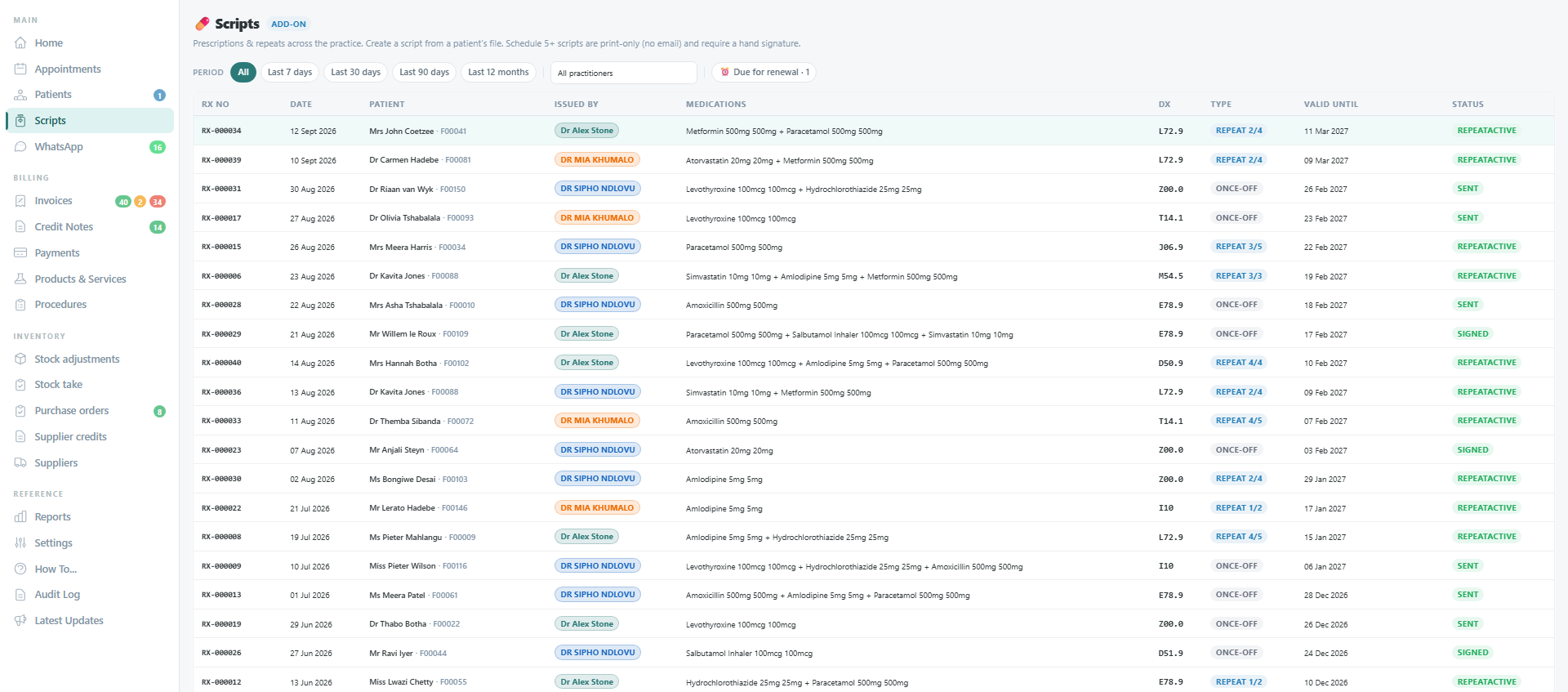
Medical Scripting
Once-off and repeat prescriptions with an allergy clash check, practitioner authorisation, print and email to the pharmacy. Includes the Patient Medical Profile.
Add-on
Patient Medical Profile
Allergies, chronic conditions, vitals and body composition over time, clinical notes, medications, referrals, and clinical lists by condition or medication.
Add-on
WhatsApp Patient Messaging
Patient conversations in an inbox and on the patient record, approved templates for confirmations and reminders, opt-out handled.
Add-on
Stock Locations
Stock on hand per room or branch, and transfers between them.
Built here
South African billing is not a setting you switch on
The codes, the schemes, the tax and the documents are the way the product works, not a localisation layer over an overseas tool.
ICD-10 from the SA Master Industry Table
The full diagnostic code set, searchable by code or description, with the codes you use most floated to the top.
NAPPI codes on products
Every product carries its NAPPI code and prints it on the invoice line.
Medical aid schemes, plans and dependant codes
Scheme, plan, option, membership number and dependant code on the patient, and on every document.
VAT at 15%, in Rand
Worked per line, totalled per document, posted to Xero with the right tax rate.
Practice, HPCSA and VAT numbers where they belong
On the tax invoice, the statement, the credit note and the script.
POPIA consent on the record
Consent captured at registration, a full audit log, two-factor sign-in and per-user access to every section.
Patient files stored in South Africa
Uploaded documents and images stay in an African region.
Built and supported locally
By the team that runs it in a live South African practice.
Pricing scales with practitioners, not seats.
Admin and accounts logins are included. Xero sync is included. The rate card is one page, and so is the way an implementation runs.